
Integrating your gate system with smart home platforms like Alexa, Google Assistant, or Apple HomeKit gives you secure, convenient control over access points at your home or business. With the right setup, you can open or close gates hands-free, check gate status from anywhere, and link access actions with lighting or security systems. You can integrate your gate safely by pairing verified hardware with secure communication protocols and limiting network exposure through controlled authentication.
When planned carefully, a smart gate system becomes part of a larger, connected environment that manages security and convenience together. Whether you manage a private driveway, commercial parking area, or multi-unit property, your gate integration can adapt to your specific access needs while following strict safety boundaries.
Automated Gate Supply brings over two decades of experience in gate automation and access control to help you select compatible devices and build dependable integrations. Their expertise supports projects across Los Angeles County and beyond, offering reliable products, fast delivery, and professional guidance that help you connect your gate system with confidence.
Integration Contexts Across Residential and Commercial Access Points
Gate automation works differently depending on how often people use the entry, what type of property it serves, and what security level it needs. The right integration approach balances convenience, control, and reliability while preventing unnecessary complexity or system conflicts.
Property Types and Access Frequency Differences
Your approach to integrating an automatic gate or smart garage door depends heavily on property type and how often users access it.
Residential sites usually have predictable, low-volume entry patterns focused on family members and guests. Commercial or mixed-use spaces handle higher traffic, vendor deliveries, and scheduled service access throughout the day.
Homes benefit from integration with Alexa, Google Home, or Apple HomeKit, letting you open or monitor gates through voice or app controls. In contrast, commercial areas depend more on networked controllers linked to visitor databases or employee credentials.
| Property Type | Typical Use Pattern | Primary Integration Goal |
|---|---|---|
| Residential | Few daily entries | Convenience and safety |
| Commercial | Frequent access events | Monitoring and access tracking |
These distinct patterns mean a single integration plan rarely fits both environments equally well. Choosing adaptable hardware and scalable software keeps systems efficient without sacrificing control.
When Smart Integration Adds Operational Value
Smart platform connections add clear value when automation reduces manual steps or improves visibility.
In homes, linking your automated gate or garage door to voice assistants can eliminate physical remotes and allow geofencing, automatically opening gates when you drive up. Push notifications help you confirm that doors close properly after leaving.
In commercial facilities, the payoff comes from data integration. Systems that sync with cameras, time logs, or cloud dashboards let you review access events in real time. Shared remote access also helps when staff or deliveries arrive after hours.
You gain the most when integration supports regular workflows, enhances accountability, or adds a dependable security layer instead of simply creating novelty features.
Situations Where Integration Introduces Unnecessary Complexity
Not every automatic gate benefits from connecting to a smart home hub.
Infrequent-use properties such as storage lots or seasonal homes may not justify cloud-based setups. Extra devices or network links can introduce more failure points, data dependencies, or privacy concerns.
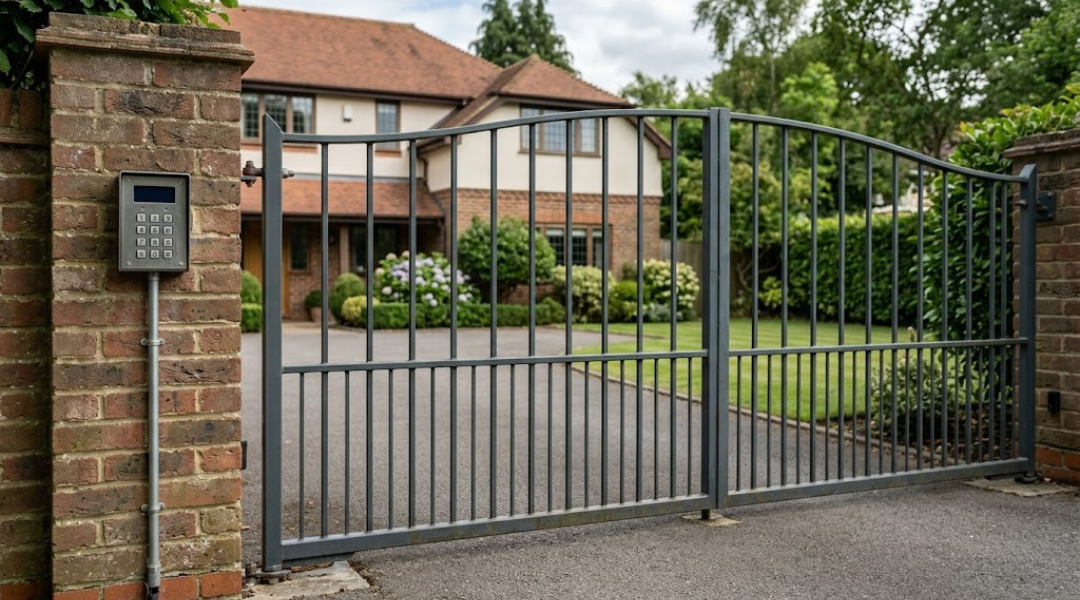
For small residential gates or garages with limited use, a local keypad or fob system might be simpler and more reliable. Commercial sites that already run secure, standalone control systems can also experience slowdowns or syncing issues when combining multiple platforms.
You should avoid integration setups that require constant updates, depend on unstable Wi-Fi, or add functions users rarely need. A well-designed, standalone automated gate can still offer strong security and ease of use without a full smart network connection.
Communication Protocols Behind Smart Gate Connectivity
Reliable communication protocols make your gate system respond quickly and securely to voice or app commands. You depend on structured data exchanges, device discovery, and cross-platform compatibility for smooth interoperability among Alexa, Google Assistant, and Apple HomeKit.
API-Based Integrations vs Relay-Based Triggers
Smart gates connect to your home network in two main ways. API-based integrations use internet or local network connections that allow direct command exchange between your smart platform and gate controller. This method supports advanced features such as status feedback, scheduling, and automation through the Alexa app, Google Home app, or Apple’s Home app.
Relay-based triggers simulate a physical button press using a low-voltage electrical signal. They’re simpler and often more universal but can’t report open or closed status unless paired with sensors. These systems may integrate through a smart relay like a Shelly or SwitchBot controller that communicates indirectly through cloud APIs.
If you want two-way communication or voice confirmations, an API-supported gate is more capable. However, when maximum security or offline control matters, using a hardwired relay avoids network reliance. Choose according to your preferred balance of intelligence and isolation.
Role of Wi-Fi, Z-Wave, Zigbee, and Cloud Services
Protocols define how signals travel. Wi-Fi connects gate controllers directly to your router for quick remote access through mobile apps. It’s easy to set up but depends heavily on internet uptime.
Z-Wave and Zigbee use low-power radio networks that link through a smart home hub. These provide stronger local reliability and mesh networking, ideal when your gate sits far from the main router. They often require a “Works with Google” or “Alexa” certified hub for compatibility.
Some gate devices rely on cloud services for voice control or alerts. This allows easy updates and automatic device discovery but introduces a dependency on the manufacturer’s servers. Local control through Matter or HomeKit accessories offers more privacy and faster response because commands stay within your local network.
Platform-Specific Limitations Across Alexa, Google, and HomeKit
Each smart home platform handles gates differently. Amazon Alexa integrations often depend on Alexa Skills and cloud APIs. Some gates can open or close only through custom Skills rather than routine commands for safety reasons.
The Google Home app supports “Works with Google” integrations, but features like custom routines or access notifications may vary by brand. Google prioritizes safety restrictions, so you might need to confirm voice commands before the gate responds.
Apple HomeKit takes a stronger local-first approach. It uses strict encryption and device verification, which requires compatible hardware or a certified bridge. The Home app emphasizes automation and geo-based triggers, but integration choices can be limited unless your gate manufacturer supports HomeKit directly.
Below is a quick comparison:
| Platform | Control Method | Local Support | Extra Hardware Needed |
|---|---|---|---|
| Alexa | Skills & Cloud APIs | Partial | Optional Smart Hub |
| Google Assistant | Works with Google integrations | Moderate | Sometimes Hub Required |
| Apple HomeKit | Home app & Certified Bridges | Strong | Often Bridge Required |
Security Boundaries in Connected Gate Environments
Smart gates tied into home automation systems expand both security and convenience. You control entry points remotely, connect live video feeds, and rely on automation to safeguard your home. These same features demand careful setup to ensure devices stay protected from unauthorized access and network vulnerabilities.
Authentication Layers and Device Authorization
Smart platforms like Alexa, Google Home, and Apple HomeKit rely on strong identity checks to protect control commands. You should enable two-factor authentication (2FA) on your accounts to prevent unauthorized devices from linking to your gate system. Use unique, complex passwords and update them regularly to reduce risks from reused or leaked credentials.
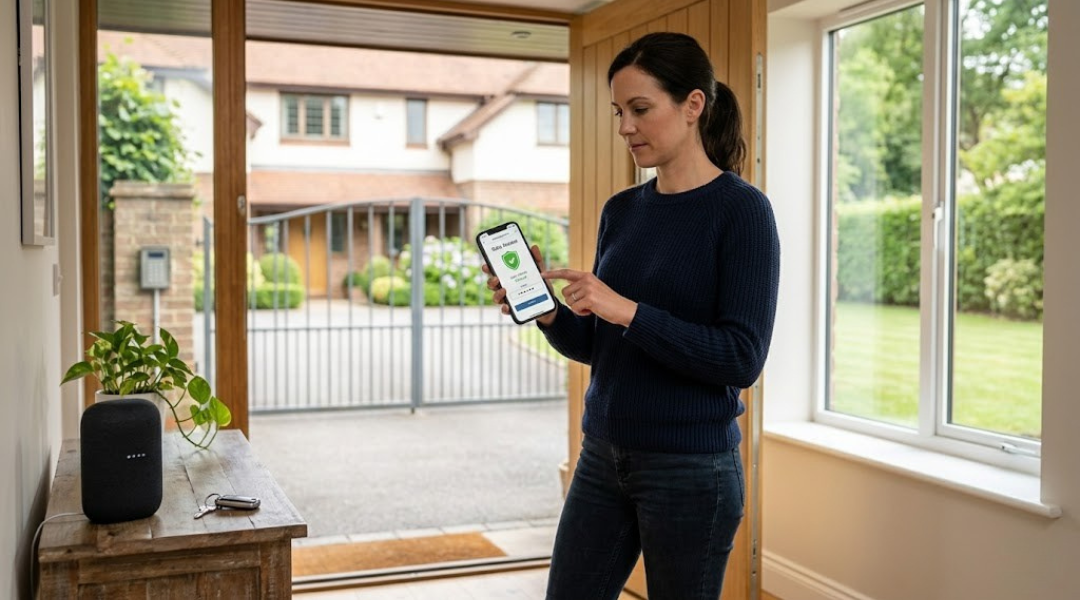
Grant access only to trusted users. Many systems let you assign temporary or limited permissions, useful for deliveries or guests. Use a voice PIN with Alexa or similar assistants to add an extra verification step before opening your gate through voice control.
Monitoring logins and connection attempts gives you visibility into your system’s use. Review access records every few weeks and remove devices no longer in use. Clear authorization policies help keep your automated gate secure while maintaining the flexibility of smart home control.
Network Segmentation and Local vs Cloud Control
Your gate controller and smart home devices share the same home network, making network segmentation an important defense step. Place your gate hub, cameras, and sensors on a separate IoT network or VLAN. This separation helps contain threats if one device becomes compromised.
When possible, choose local control options that let commands operate within your home network rather than relying entirely on cloud servers. Local operation keeps responses fast and less dependent on an internet connection. Cloud control remains useful for remote monitoring, such as checking security cameras or receiving alerts while outside the property.
Maintaining up-to-date firmware and secure Wi-Fi settings further strengthens the network boundary. Use WPA3 encryption and avoid open guest networks that share the same connection as your gate system. These steps isolate critical devices and reduce exposure to attackers scanning connected homes.
Failure Modes and Unauthorized Access Risks
A connected gate can fail in several ways—power loss, connectivity drops, or cloud outages can interrupt function. You should plan failsafe modes, like manual override or battery backups, so you can still control entry manually when automation fails.
Unauthorized access remains a major concern. Attackers may exploit weak credentials or unsecured voice skills. Review skills or routines linked to your smart security system and disable those you don’t use. Avoid granting open microphone access or unverified third-party integrations that interact with your gate or Alexa Guard.
Consider how data flows in your smart environment. Logging and secure cloud connections should protect live video feeds and access history from exposure. By pairing sound authentication with isolation and backup strategies, you strengthen home security while maintaining the convenience of voice and app control.
Interpreting Automation Tradeoffs and Control Limitations
Smart gate automation brings convenience and flexibility, but it also introduces new risks tied to connectivity, control sharing, and system reliability. Each technical or design decision—such as enabling remote access or linking to voice assistants—creates tradeoffs between security, privacy, and ease of use.
Convenience Versus Exposure to External Systems
When you connect your gate system to smart home platforms like Alexa, Google Home, or HomeKit, you extend control beyond your local network. This allows remote access, voice control, and integration with custom routines such as a morning routine that opens your gate and turns on lights.
This convenience depends on data passing through cloud servers. External processing can expose your system to privacy and security risks if not properly encrypted. Use strong authentication methods, such as unique account credentials and two-factor verification, to limit unwanted access.
You also depend on the trustworthiness of third-party systems. If a service provider changes access rules or experiences downtime, your gate’s remote functions may stop temporarily. A balanced setup uses both cloud and local control options, letting you manage your gate even if a network connection fails.
Latency, Reliability, and Dependency on Internet Uptime
Smart gate controls often rely on consistent internet access. A strong network ensures faster command execution and lower latency when you issue voice or app-based commands.
When your connection slows or drops, delay in command delivery can occur. For instance, asking Google or Alexa to open the gate may take several seconds if your Wi-Fi or router is congested. Some hubs and controllers offer offline fallback modes, allowing limited functionality without cloud contact.
Consider hardware that supports local processing for routine actions like automatic gate closure or triggering lights when motion sensors detect activity. A simplified table can help clarify dependencies:
| Function Type | Requires Internet | Works Locally |
|---|---|---|
| Alexa/Google routines | ✔ | ✖ |
| Direct hardware triggers | ✖ | ✔ |
| App-based remote control | ✔ | ✖/Partial |
Reducing cloud-only functions keeps essential automation available when your network fails.
Voice Command Risks in Shared or High-Traffic Environments
Voice commands simplify use but raise access control concerns in shared households or busy areas. Any person within microphone range can issue a command if your device lacks voice match recognition. For example, a delivery person could open the gate by shouting a preconfigured command.
To lower this risk, train assistants like Alexa or Google Assistant with individual voice profiles. You can also restrict gate-related commands through custom routines or PIN-protected actions. In Apple’s HomeKit, assigning permission levels to specific users provides stronger control.
Avoid placing smart speakers too close to outdoor entries or windows, where outside noise or speech could trigger voice control unintentionally. Manage sensitivity settings in each app to ensure your commands work reliably but remain private in high-traffic spaces.
Smart Integration Considerations in Professional Gate Supply Contexts
Integrating automated gate systems with smart home platforms depends on how well hardware, software, and site conditions align. Reliability, safety compliance, and scalability all influence which integration strategy offers the best value for long-term use.
Hardware Compatibility Across Operator Brands and Controllers
Not all gate operators or controllers communicate equally with major smart ecosystems like Alexa, Google Assistant, or Apple HomeKit. When selecting products, you should verify which control boards accept third-party integration modules, such as relay interfaces or Wi-Fi gateways. Some professional-grade units feature native compatibility through branded apps, while others rely on add-on receivers.
A quick checklist helps reduce errors during gate installation and setup:
| Component | Compatibility Concern | Example Solution |
|---|---|---|
| Motor controller | Limited I/O ports | Add a smart relay interface |
| Safety sensors | Non-standard voltage | Use voltage adapters or isolation relays |
| Network module | No cloud connection | Employ local gateway or bridge device |
Testing firmware versions before installation prevents communication faults. You should also confirm encryption standards to meet network security requirements when linking controllers to household routers.
Real-World Constraints Observed by Automated Gate Supply
In practical terms, gate suppliers often face site conditions that affect automation performance. Power reliability, Wi-Fi coverage, and environmental exposure matter as much as software setup. If your installation location has weak connectivity, an offline-capable control system with local command storage can maintain access even when the internet is down.
Weather and terrain also alter what’s possible. Underground cabling, steel fencing, or long driveways influence the type of wireless bridge used. Professional gate supply teams typically measure signal strength, load limits, and safety distances before approving device placement.
Working with certified installers lets you confirm compliance with local electrical and safety codes. It also ensures integrated gates still perform mechanical safety functions independently of the smart system in case of failure.
Balancing Retrofit Solutions with System-Native Integrations
For existing gates, retrofit modules offer a cost-effective path to smart control. You can attach Wi-Fi or Zigbee relays that simulate remote commands from voice assistants. This approach minimizes disruption but often limits data feedback, such as gate position status or fault reporting.
Native integrations deliver smoother results for new projects. Systems designed for direct compatibility with smart platforms allow real-time status updates, authentication control, and automation routines without extra hardware. Although they cost more upfront, they reduce long-term maintenance.
When deciding between retrofit and full integration, weigh existing equipment age, expected system lifespan, and support availability. Matching the solution to these factors ensures you maintain reliable operation and consistent user control across your smart home ecosystem.